Every tool you need to build loyal customers
From punch cards to automated SMS campaigns, every feature is designed to keep your customers coming back — and bring their friends.
A two-phase rewards system that drives repeat visits
Most loyalty programs are either too simple (basic punch card) or too complex (confusing point systems). RestaurantHQ combines both into a natural two-phase progression that customers intuitively understand.
Phase 1: Customers earn punches with each visit. After 5 punches, they unlock VIP status. Phase 2: VIP members earn points on every dollar spent and redeem them for rewards you define.
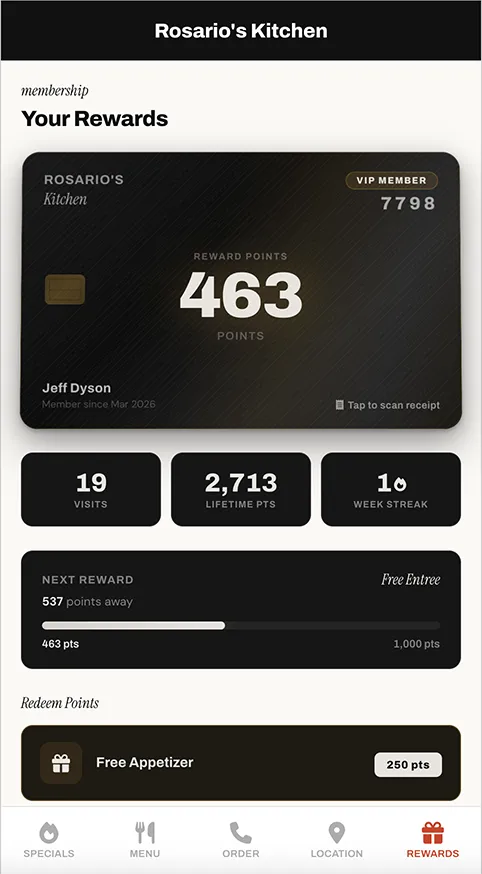
Digital Punch Card
Simple 5-visit system (configurable) that gives customers a clear goal. No physical cards to lose.
VIP Points System
After unlocking VIP, customers earn points per dollar spent. Configurable points-per-dollar ratio.
Custom Reward Tiers
Create unlimited reward levels — Free Appetizer at 250 pts, Free Entree at 1,000 pts, you decide.
Weekly Streaks
Customers see their consecutive-week visit streak. Creates a "don't break the chain" motivation loop.
Redemption Flow
Staff-assisted redemption from the dashboard. Points deducted, reward logged, customer notified.
Lifetime Tracking
Current points, lifetime points, total visits, and redemption history — all visible at a glance.
"The punch-to-VIP system is brilliant. Customers feel like they're working toward something, and once they're VIP, they're hooked. Our repeat visit rate went up 35% in the first two months."
Mike R. — Sports Bar & Grill Owner
Never let a customer slip through the cracks
Every punch triggers a sequence. If a customer doesn't return within 7 days, they get a friendly nudge. Then again at 14 days. Then 21 days. When they do come back, the next sequence starts automatically.
For VIP members, the system monitors for inactivity, at-risk streaks, and new redemption opportunities — sending the right message at the right moment without any manual work.
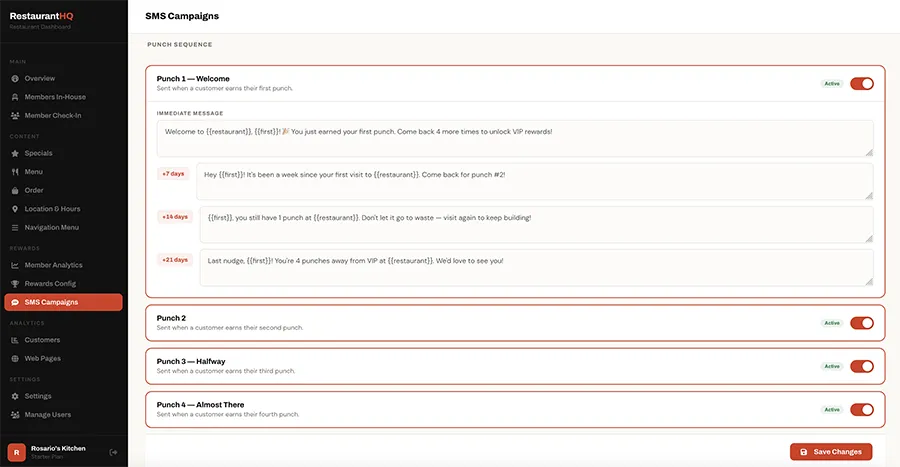
Punch 1 — Welcome
Sent immediately when a customer earns their first punch. Sets the tone and explains the rewards program.
Punch 2-4 — Progress
Each punch gets its own message celebrating progress and reminding them how close they are to VIP.
Punch 5 — VIP Unlock
The big celebration message. "You did it! You're a VIP!" Announces they now earn points.
7/14/21-Day Follow-Ups
After each punch, if they don't return, automated nudges go out at 7, 14, and 21 days.
Win-Back (Inactive VIP)
Sent when a VIP member hasn't visited in 30+ days. Configurable inactivity threshold.
Streak at Risk
Sent Thu/Fri if a member with an active streak hasn't visited that week. Protects their motivation.
"The automated SMS is the best part. I don't do anything — customers just get the right message at the right time. We've had people come back after weeks saying 'I got your text and realized I missed you guys!'"
Sarah L. — Family Restaurant Owner
Your own branded mobile site — no app required
Every restaurant gets a beautiful, mobile-first microsite with five pages: Specials, Menu, Order, Location, and Rewards. Customers access it from any browser — no app store, no download, no friction.
Update daily specials, menu items, and hours from your dashboard. Changes appear instantly. Premium plans can use a custom domain.
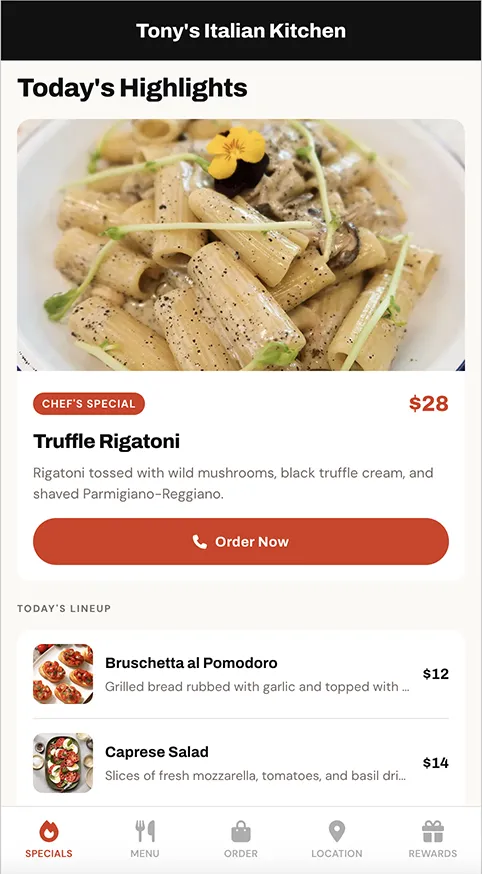
Daily Specials
Featured special with photo, today's lineup, and chef's pick badge. Updated from dashboard in seconds.
Full Menu
Categories, items, descriptions, prices, and optional images. Lightbox zoom on food photos.
Online Ordering
Phone-to-order, URL-to-order, or photo-with-call-button modes. Connects to your existing system.
Location & Hours
Interactive map, phone number, address, and weekly hours. Directions link opens Maps app.
Rewards Card
Visual punch card or VIP points display. Next tier progress bar. Tap-to-redeem for eligible rewards.
Custom Domain
Premium plans can use their own domain (e.g., joespizza.com) with automatic SSL provisioning.
Real analytics. Real insight. Real control.
Not vanity metrics — actionable data. See who's coming back, who stopped, which day of the week is strongest, and how your VIP conversion rate is trending. Manage members, rewards settings, SMS campaigns, specials, and staff permissions from one place.
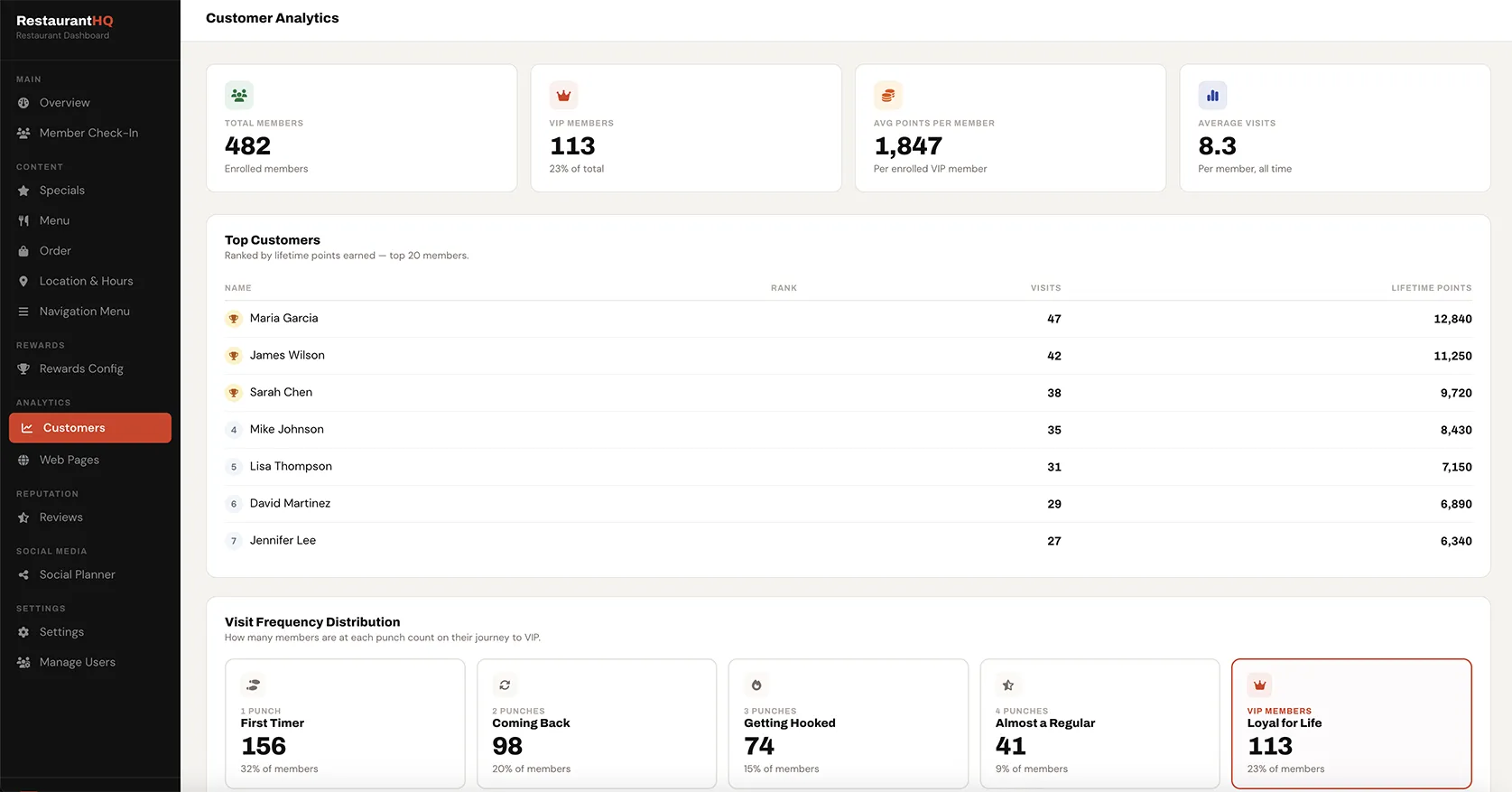
Member Analytics
Leaderboards by lifetime points, total visits, and weekly streaks. See your top customers at a glance.
Customer List
Searchable, sortable member list with punches, VIP status, points, and visits. Click to view full profile.
Members In-House
Real-time view of which rewards members are currently checked in. Auto-clears at 2am.
Staff Notes
Add notes to any customer profile. "Allergic to shellfish." "Birthday is March 12." Visible to all staff.
Role Permissions
Owners see everything. Staff see what they need. Granular permissions for each dashboard page.
Rewards Settings
Configure punches required, points per dollar, and reward tiers. Changes apply instantly.
Customers earn points by photographing their receipt
VIP members snap a photo of their receipt from their phone. AI reads the total and awards the appropriate points. Built-in fraud detection flags duplicate receipts and same-day scans. Staff can approve, deny, or undo from the dashboard.
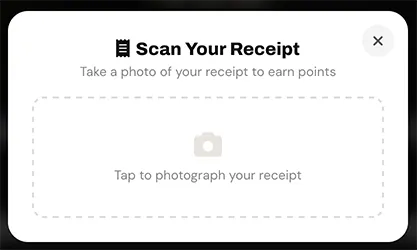
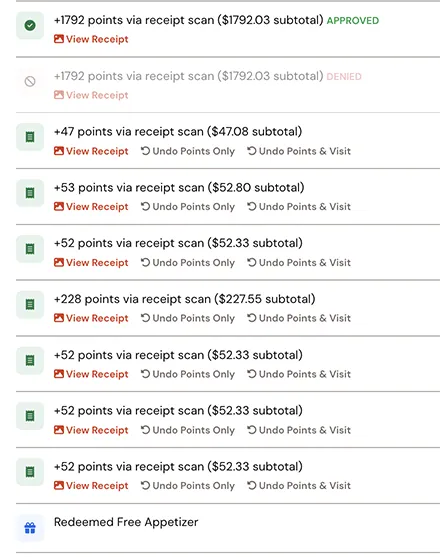
Photo Capture
Customers photograph their receipt from the rewards page. Works on any phone camera.
AI-Powered OCR
Reads the receipt total automatically and calculates points based on your points-per-dollar setting.
Fraud Detection
Flags duplicate totals and same-day scans. Suspicious receipts go to a pending queue for staff review.
One family. One rewards account. Faster rewards.
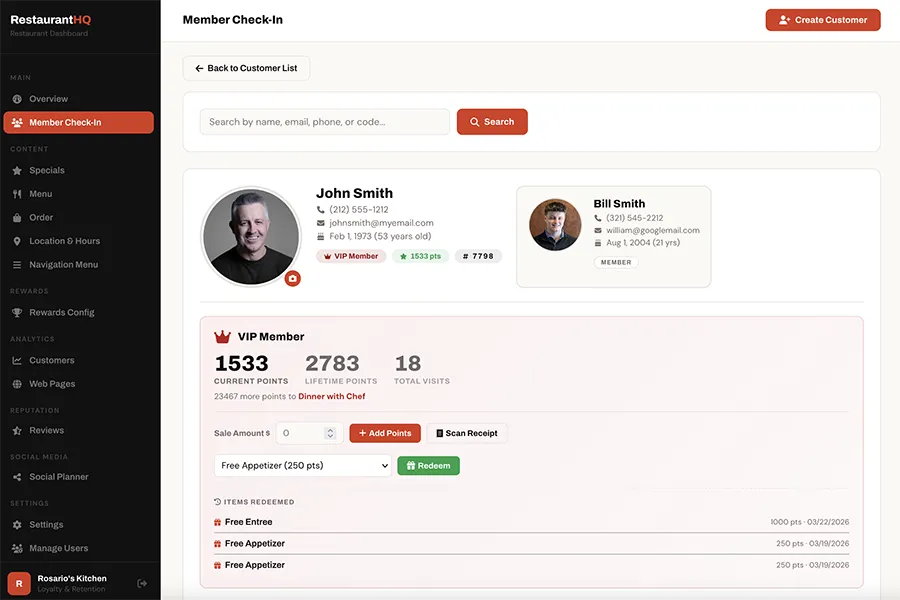
Link family members to a single primary account. Everyone earns punches and points toward the same balance. Dad visits on Tuesday, Mom on Thursday, the kids on Saturday — and it all adds up. VIP unlocks faster. Rewards earn faster. Families love it.
Link Members
Staff links family members via the dashboard. Each member gets their own check-in code.
Shared Balance
Punches, points, and visits all count toward the primary account. No splitting, no confusion.
Individual Recognition
Each family member checks in individually and appears on the Members In-House list by name.
Fast check-in. Smart staff tools. Zero friction.
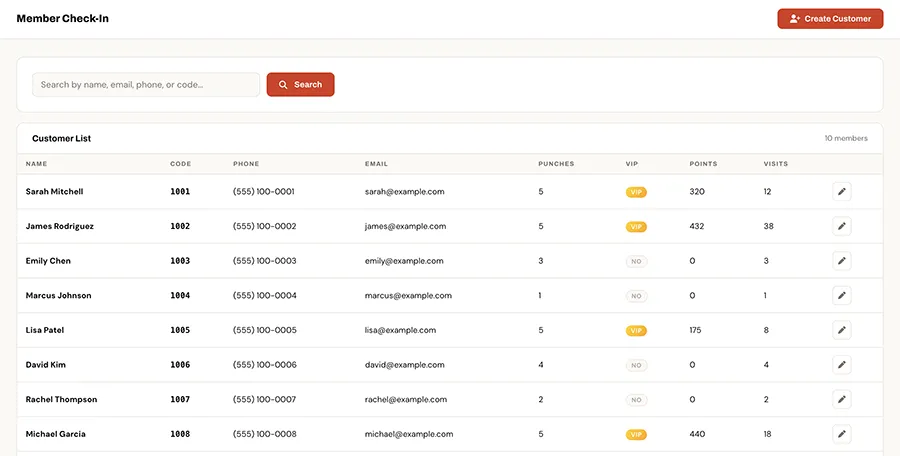
Customers check in by member code, phone number, or QR scan. Staff see the customer's full profile — punch status, VIP level, points, notes, family members — in one tap. The Members In-House page shows who's currently on the floor in real time.
QR Check-In
Contactless check-in via QR code scan. No app needed — works in any phone camera.
Code / Phone Lookup
Staff can look up any member by code, phone number, or name. Instant profile access.
Activity Log
Full history of punches, points added, redemptions, and staff actions — timestamped and searchable.
See who's in your restaurant right now
The Members Here page gives your staff a real-time view of every rewards member currently checked in. Each card shows the member's name, photo, VIP status, current points, lifetime visits, and weekly streak — so your team can deliver personalized service the moment they walk in.
Cards update automatically as members check in and check out. The list auto-clears at 2am so you start fresh every day. It's like having a VIP list that builds itself.
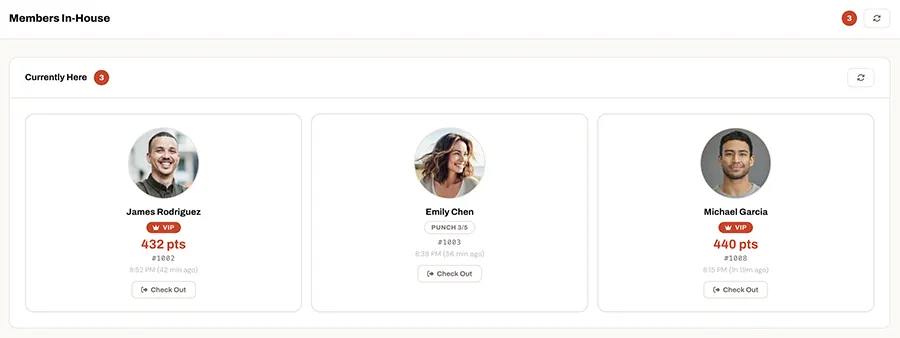
Live Floor View
See every checked-in rewards member at a glance — name, photo, VIP status, and stats.
Personal Service
Staff can greet members by name and reference their visit history before they even sit down.
One-Tap Checkout
Check out members when they leave, or let the 2am auto-clear handle it overnight.